Best POS Software in Nigeria (2027): Top Options for Retail Businesses
Running a business in Nigeria comes with many responsibilities.
You need to monitor sales, manage stock, handle customers, supervise employees, track expenses, and make sure your business is actually making money.
When these activities are managed manually, it becomes difficult to maintain accurate records, especially as the business grows.
Imagine running a supermarket with thousands of products. Every day, customers purchase different items, staff members record transactions, and new stock arrives from suppliers.
How do you know which products are selling fastest? How do you identify missing stock? Can you monitor sales when you are not physically in the store?
This is where POS software becomes important.
A good Point of Sale (POS) system does more than record customer payments. It helps businesses manage sales, inventory, staff activities, and important business information from one platform.
But with several POS software providers available, choosing the right one can be confusing.
If you are searching for the best POS software in Nigeria in 2027, this guide will help you understand the options, compare important features, and identify a solution that fits your business.
What Is POS Software?
POS stands for Point of Sale.
POS software is a business application used to record sales transactions, manage products, generate receipts, and monitor business activities.
Depending on the software, it may also include:
Inventory and stock management
Purchase and supplier management
Staff accounts and permissions
Sales and profit reports
Customer management
Credit and debt tracking
Multi-branch management
Barcode scanning
Receipt printing
Online sales management
For example, when a customer purchases three products from your shop, the POS software records the transaction, calculates the total, and updates the relevant stock records.
Instead of writing every transaction in a notebook, your business has a digital record that can be reviewed whenever necessary.
POS Machine vs POS Software: What Is the Difference?
This is one of the most common sources of confusion among Nigerian business owners.
When people search for POS in Nigeria, they may be referring to either a payment terminal or business management software.
Although both are useful, they serve different purposes.
| POS Machine / Payment Terminal | POS Software |
|---|---|
| Primarily used to accept electronic payments | Used to manage sales and business operations |
| Processes card transactions and other supported payments | Records products and sales transactions |
| Provides payment transaction records | Can track inventory and stock movement |
| May provide settlement information | Can generate business performance reports |
| Examples include Moniepoint and OPay terminals | Examples include InkeepX, Bumpa, Loyverse and others |
A payment terminal helps you collect money.
POS software helps you understand what your business sells, how much stock remains, and how your business is performing.
Some providers offer both payment and business management capabilities. However, if your main goal is to manage a supermarket, retail shop, pharmacy, or wholesale business, you should evaluate the software's inventory and operational features rather than looking at payment acceptance alone.
7 Best POS Software Options in Nigeria for 2027
The following platforms are worth considering when comparing POS software for Nigerian businesses.
This is a practical shortlist, not a claim that every product has been independently tested against every other product. The best choice depends on your business type, budget, required features, and operating environment.
1. InkeepX – Best for Retail Businesses That Need POS and Inventory Management
Website: https://www.inkeepx.com/
InkeepX is a Nigerian POS and inventory management platform designed to help businesses manage sales, stock, purchases, employees, and business performance.
Unlike a basic sales application, InkeepX combines POS functionality with broader business management features.
It is suitable for businesses that want to manage their retail operations while maintaining visibility into what is happening across their stores.
Key capabilities include:
Sales and POS management
Real-time inventory management
Purchase and supplier records
Staff accounts, roles, and permissions
Staff activity monitoring
Sales and business reports
Multiple store management
Barcode generation and scanning workflows
Receipt and invoice management
Customer and credit management
Online store functionality
Compatible POS hardware support
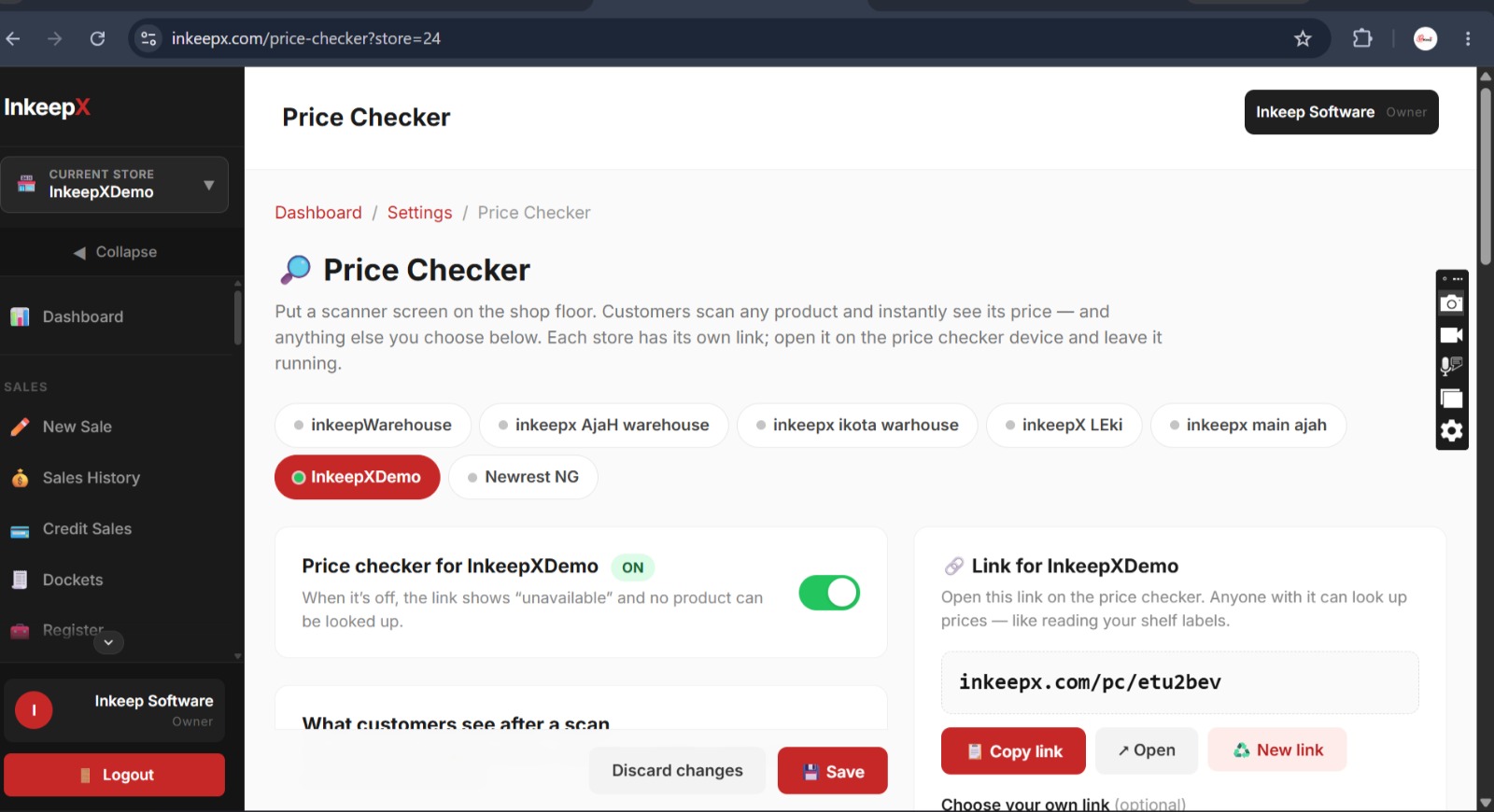
Price Checker support for compatible hardware
One useful capability is its supported offline desktop workflow. Businesses using the supported desktop application can continue selling during internet interruptions and synchronize data when connectivity returns.
This can be particularly valuable for retailers operating in areas where internet access is unreliable.
Who should consider InkeepX?
Supermarkets
Pharmacies
Provision stores
Boutiques and fashion businesses
Electronics shops
Cosmetics stores
Wholesalers and distributors
Restaurants and hospitality businesses
What to consider before choosing it:
Confirm the features included in your preferred subscription, the hardware you intend to use, and whether your business requires any specific integrations or industry workflows.
Why it stands out: InkeepX is worth considering if you want more than a checkout application and need a platform that connects sales, inventory, purchases, staff, and multiple store operations.
Explore InkeepX or request a demo on WhatsApp.
2. Bumpa – Best for Businesses Combining Retail and Online Sales
Website: https://www.getbumpa.com/
Bumpa is a business management platform that serves entrepreneurs and businesses selling through online and physical channels.
It is worth considering if your business receives orders through social media, operates an online storefront, or wants to manage different sales channels.
Depending on the plan and available features, businesses can evaluate its capabilities for:
Product and inventory management
Sales tracking
Online store management
Customer records
Business reporting
Staff and business operations
Who should consider Bumpa?
Instagram businesses
Fashion brands
Small retail businesses
Online sellers
Businesses combining physical and online sales
What to consider before choosing it:
Check the current plan limits, supported physical-store workflows, hardware compatibility, and whether the inventory features meet your business requirements.
Why consider it: Bumpa is an option for businesses that want to bring online selling and business management activities together.
3. Loyverse – Best for Small Businesses Looking for a Free POS Starting Point
Website: https://loyverse.com/
Loyverse is an international POS platform used by small businesses and retailers.
It is particularly worth evaluating if you want to start with a basic POS application before committing to a paid business management system.
Its product offering includes POS and inventory-related functionality, with additional capabilities available through its wider product ecosystem.
Key areas to evaluate include:
Sales transactions
Product management
Inventory tracking
Employee management
Customer management
Sales analytics
Multi-store operations
Who should consider Loyverse?
Small retail shops
Cafés
Small restaurants
Businesses starting with digital sales records
Retailers looking for an entry-level POS solution
What to consider before choosing it:
Review the cost of advanced features, hardware compatibility, availability of local support, and the suitability of its integrations for your Nigerian operations.
A free starting option does not necessarily mean every feature your business needs will also be free.
Why consider it: Loyverse can be a useful starting point for businesses that need basic POS functionality and want to evaluate additional capabilities as they grow.
4. Odoo – Best for Businesses That Need a Configurable Business Management System
Website: https://www.odoo.com/
Odoo is a business management platform with different applications covering sales, inventory, accounting, purchasing, customer relationships, and other business functions.
Its Point of Sale application can be used as part of a wider business management setup.
This makes Odoo worth considering for businesses that want to connect POS operations with other business processes.
Key areas to evaluate include:
Point of Sale
Inventory management
Purchase management
Sales management
Accounting
Customer relationship management
Business reporting
Additional applications and integrations
Who should consider Odoo?
Growing businesses
Distributors
Businesses with multiple departments
Companies with more complex workflows
Businesses that need configurable ERP functionality
What to consider before choosing it:
Odoo may require configuration, implementation, training, and technical assistance depending on the complexity of your business.
Understand the subscription model, user requirements, implementation cost, and ongoing maintenance before making a decision.
Why consider it: Odoo is worth evaluating when your business needs extend beyond POS and inventory into a broader, configurable business management system.
5. Moniebook – Best for Businesses Exploring the Moniepoint Business Ecosystem
Website: https://moniepoint.com/
Moniebook is part of the wider Moniepoint business ecosystem.
It is worth considering for business owners interested in connecting their business operations with services offered within that ecosystem.
When evaluating it, look beyond the payment experience and confirm the business management capabilities available for your particular business.
Areas to investigate include:
Sales management
Product records
Inventory management
Business reporting
Payment workflows
Supported hardware
Subscription and service requirements
Who should consider Moniebook?
Small and growing businesses
Retailers already using Moniepoint services
Merchants interested in connected payment and business tools
What to consider before choosing it:
Confirm the current product features, supported devices, pricing, and whether the available inventory and reporting capabilities meet your requirements.
Why consider it: Businesses already familiar with Moniepoint may find it useful to evaluate the broader business management offering.
6. TrakPoints – Best for Businesses Looking for POS, Inventory and Accounting Workflows
Website: https://trakpoints.com/
TrakPoints is another option worth comparing when evaluating business software in Nigeria.
Its published product offering covers areas such as POS, inventory, purchasing, accounting, and business operations.
This makes it relevant to retailers and businesses that want to manage more than customer checkout.
Areas to evaluate include:
POS and sales records
Inventory management
Purchasing
Accounting workflows
Business reporting
Customer and supplier records
Employee access controls
Who should consider TrakPoints?
Retail businesses
Growing SMEs
Wholesalers
Businesses looking for connected operational and financial records
What to consider before choosing it:
Check the current subscription limits, supported offline workflows, multi-location capabilities, and whether the accounting features match your business requirements.
Why consider it: It is worth including in your shortlist if you want to compare POS, stock, and accounting functionality in one system.
7. CliqPOS – Another Option for Retail POS and Business Management
Website: https://cliqpos.com/
CliqPOS is another platform Nigerian businesses can investigate when comparing retail POS solutions.
When evaluating it, consider its suitability for your specific checkout and inventory requirements.
Important areas to check include:
Sales recording
Product and inventory management
Staff access
Business reporting
Multi-outlet operations
Hardware compatibility
Subscription plans
Who should consider CliqPOS?
Retailers and business owners who want to compare another POS and business management option before choosing a system.
What to consider before choosing it:
Request a demonstration and confirm the features, plan limits, current pricing, and support available for your type of business.
Why consider it: It gives retailers another option to include in their evaluation, particularly when comparing local POS providers.
Quick Comparison: POS Software in Nigeria
The following table summarizes the main use cases to investigate when shortlisting these platforms.
| POS Software | Best suited for | Main evaluation focus |
|---|---|---|
| InkeepX | Retail, supermarkets, pharmacies and wholesale | POS, inventory, staff and multi-store operations |
| Bumpa | Online and physical retail businesses | Online selling and business management |
| Loyverse | Small shops and hospitality businesses | Entry-level POS and additional features |
| Odoo | Businesses with complex operations | Configurable POS, inventory and ERP |
| Moniebook | Merchants exploring the Moniepoint ecosystem | Business tools and payment workflows |
| TrakPoints | SMEs and growing retail businesses | POS, inventory and accounting |
| CliqPOS | Retail businesses | POS and multi-outlet management |
Important: This is a shortlist based on product positioning and areas worth evaluating, not a verified feature-by-feature certification. Features, prices, plan limits, integrations, and availability can change. Confirm the current offering directly with each provider before purchasing.
What Features Should the Best POS Software in Nigeria Have?
Before selecting a POS system, understand the capabilities that matter most to your business.
A platform may have an impressive list of features, but what matters is whether it solves your actual operational problems.
Here are the features I recommend prioritizing.
1. Sales and Transaction Management
Your POS software should make it easy to record customer purchases.
It should help you:
Record sales quickly.
Calculate transaction totals accurately.
Apply authorized discounts.
Generate receipts.
Review previous transactions.
Track sales by date and employee.
A reliable sales record gives you a better understanding of your daily business activity.
2. Inventory Management
Inventory management is one of the most important features for any business selling physical products.
Your software should help you monitor:
Available stock quantities
Products sold
Purchases received
Stock adjustments
Low-stock items
Stock movement
Product costs and selling prices
Without proper inventory management, you may record sales successfully while losing control of the products that generate your revenue.
3. Offline Capability
Internet connectivity can be unreliable in some parts of Nigeria.
For a business that processes sales throughout the day, an internet interruption can affect operations if the POS depends entirely on a live connection.
Before choosing a platform, ask:
Can I continue selling without internet access?
Which functions remain available offline?
Are transactions synchronized when connectivity returns?
What happens if the device shuts down before synchronization?
Do not assume that every provider advertising offline support offers the same functionality.
Test the actual offline workflow before committing.
4. Staff Management and Permissions
If employees operate your store, you need to understand who is doing what.
A good POS system should provide appropriate staff accounts and access controls.
Look for:
Individual employee logins
User permissions
Sales records by employee
Activity logs
Discount controls
Access restrictions
These features help improve accountability and make it easier to investigate unusual transactions.
5. Sales and Business Reports
Your POS system should provide information that helps you make better decisions.
Important reports include:
Daily and monthly sales
Sales by product
Sales by employee
Purchase records
Stock movement
Business performance
Profit-related reports
Remember that reliable profit reporting depends on accurate product costs, selling prices, and expense records.
6. Multi-Store Management
If you operate more than one branch, you should be able to monitor the business without manually collecting reports from every location.
Look for software that can help you:
Manage multiple stores.
Monitor sales across branches.
Review stock by location.
Compare business performance.
Control employee access.
Manage transfers where supported.
This becomes increasingly important as your business expands.
7. Barcode and Hardware Support
Barcode scanning can make checkout and product identification faster.
Depending on your business, you may also need:
Barcode scanners
Thermal receipt printers
Barcode label printers
Cash drawers
POS terminals
Price-checking devices
Always confirm that the software supports the exact hardware model you intend to use.
8. Cloud Access and Data Synchronization
Cloud-based access can help business owners monitor their operations without being physically present at the store.
Depending on the system, you may be able to review sales, stock, and reports from a phone, tablet, or computer.
However, cloud access and offline functionality are different things. Confirm how each works in your chosen software.
9. Customer and Credit Management
Businesses that sell on credit or maintain customer accounts need a way to record outstanding balances.
Consider whether the POS software supports:
Customer records
Credit sales
Outstanding balances
Payment history
Customer transaction history
This can make it easier to follow up on debts and maintain organized customer records.
10. Reliable Support and Transparent Pricing
Do not choose software based only on its advertised monthly subscription.
Ask what is included in the plan and whether you will pay extra for:
Additional users
Extra branches
Advanced reports
Hardware
Installation
Training
Integrations
Technical support
Also consider how easy it is to reach the provider when something goes wrong.
A slightly more expensive system may provide better value if it saves your business time and reduces operational problems.
Which POS Software Is Best for Different Businesses in Nigeria?
The right POS system depends on the type of business you operate.
Here is a practical guide.
| Business type | What to prioritize |
|---|---|
| Supermarkets | Fast checkout, inventory, barcode scanning, multi-cashier support and reports |
| Pharmacies | Product records, stock monitoring, purchasing and any required expiry or batch workflows |
| Boutiques | Product variants, sizes, colours, stock tracking and sales reports |
| Provision stores | Simple sales, stock management, purchases and credit records |
| Electronics shops | Product identification, stock records, serial-number workflows where required |
| Restaurants | Orders, tables, kitchen workflows, receipts and staff coordination |
| Wholesalers | Bulk sales, purchasing, supplier records, customer balances and warehouse workflows |
| Small shops | Affordable pricing, simple checkout and basic inventory management |
A supermarket may need advanced inventory and multiple cashier stations, while a small boutique may prioritize product variants and ease of use.
Do not pay for features your business does not need, but make sure the software can support your future growth.
How Much Does POS Software Cost in Nigeria in 2027?
POS software pricing varies depending on the provider, features, users, number of branches, and subscription model.
Some platforms provide free entry-level plans, while others charge monthly or annually.
Your total cost may include:
Software subscription.
POS hardware and accessories.
Installation and configuration.
Staff training.
Additional user or branch fees.
Technical support and maintenance.
For example, a business may find a low-cost subscription attractive but later discover that it needs to pay separately for additional employees, branches, or advanced reports.
Before subscribing, compare the total cost of using the system rather than looking only at the starting price.
For current InkeepX plan information, visit the InkeepX website or contact the team.
You can also read our related guide: How Much Does POS Software Cost in Nigeria? (2026 Guide).
7 Questions to Ask Before Buying POS Software
Before paying for any POS subscription, ask the provider these questions:
Can I manage both sales and inventory from the same system?
Can I continue selling if my internet connection goes off?
Can I monitor sales and stock remotely?
Can I create separate accounts and permissions for employees?
Can I manage multiple branches?
Does the software support my preferred POS hardware?
What happens to my business data if I stop using the service?
Request a demonstration and test the actual workflows your business performs every day.
For example, if you operate a supermarket, ask the provider to demonstrate a complete transaction, stock deduction, purchase entry, staff report, and branch report.
A live demonstration will tell you more than a long feature list.
Why More Nigerian Businesses Should Look Beyond Basic POS Applications
A basic POS application may be enough when you only need to record transactions.
But as your business grows, other questions become more important:
How much stock do I have?
Which products are not selling?
How much did each employee sell?
Which branch is performing better?
How much money do customers owe?
How much inventory did I purchase this month?
Where are my stock losses coming from?
These questions require more than a payment terminal or a simple digital cash register.
They require a connected business management system.
That is why it is worth evaluating POS software based on its ability to support the complete retail workflow, not just the checkout process.
Why Consider InkeepX for Your Business?
If you are looking for POS software in Nigeria that combines sales and inventory management, InkeepX is one option worth considering.
InkeepX was developed around a problem many Nigerian retailers understand: running a business without clear visibility into stock, sales, and daily operations.
The idea was inspired by real-life experience with manual retail record-keeping, where products could expire or go missing without the owner immediately noticing.
After building inventory software for a pharmacy in 2019, the opportunity to help more businesses manage their operations became the foundation for InkeepX.
Today, InkeepX helps businesses manage several aspects of their operations through one platform.
Manage Sales and Inventory Together
Record sales and manage product records, stock levels, purchases, and other inventory activities.
Monitor Staff Activities
Create employee accounts, control access permissions, and review relevant sales and activity records.
Manage Multiple Stores
For businesses operating across locations, InkeepX provides multi-store management capabilities to help owners monitor operations.
Access Business Reports
Review sales, purchases, stock information, and other business reports to support better decisions.
Support Offline Selling
With the supported desktop application, businesses can continue selling offline and synchronize data when internet access returns.
Connect Compatible Retail Hardware
InkeepX supports compatible POS hardware and barcode workflows. Its Price Checker feature also supports compatible devices, although the price-checker hardware itself is sourced separately.
Manage Different Types of Businesses
InkeepX supports workflows for different business categories, including retail shops, supermarkets, pharmacies, boutiques, wholesalers, and hospitality businesses.
The exact features available depend on the business setup and required configuration.
If these capabilities match what your business needs, you can request a demonstration to see how the platform works.
Visit InkeepX | Book a demo on WhatsApp
Final Verdict: What Is the Best POS Software in Nigeria for 2027?
There is no single POS system that is perfect for every business.
The best choice depends on what you sell, how many employees you have, your inventory requirements, your budget, and how you want to manage your operations.
Here is a simple way to approach your decision:
For retail and inventory management: Consider InkeepX and compare its features against your store's requirements.
For online and physical selling: Evaluate Bumpa and its available business management features.
For a basic POS starting point: Consider Loyverse and review the cost of additional capabilities.
For broader business management: Evaluate Odoo and its implementation requirements.
For businesses exploring payment-linked business tools: Look at Moniebook.
For POS, inventory, and accounting workflows: Compare TrakPoints.
For another retail POS option: Include CliqPOS in your shortlist.
Do not choose based on popularity alone.
Choose a system that helps you record sales accurately, manage inventory, monitor employees, understand your business performance, and operate reliably.
For Nigerian businesses that need POS and inventory management together, InkeepX is worth including in your final shortlist.
Ready to see how InkeepX works?
Stop relying on guesswork to manage your business.
Manage your sales, inventory, purchases, employees, and business reports with InkeepX.