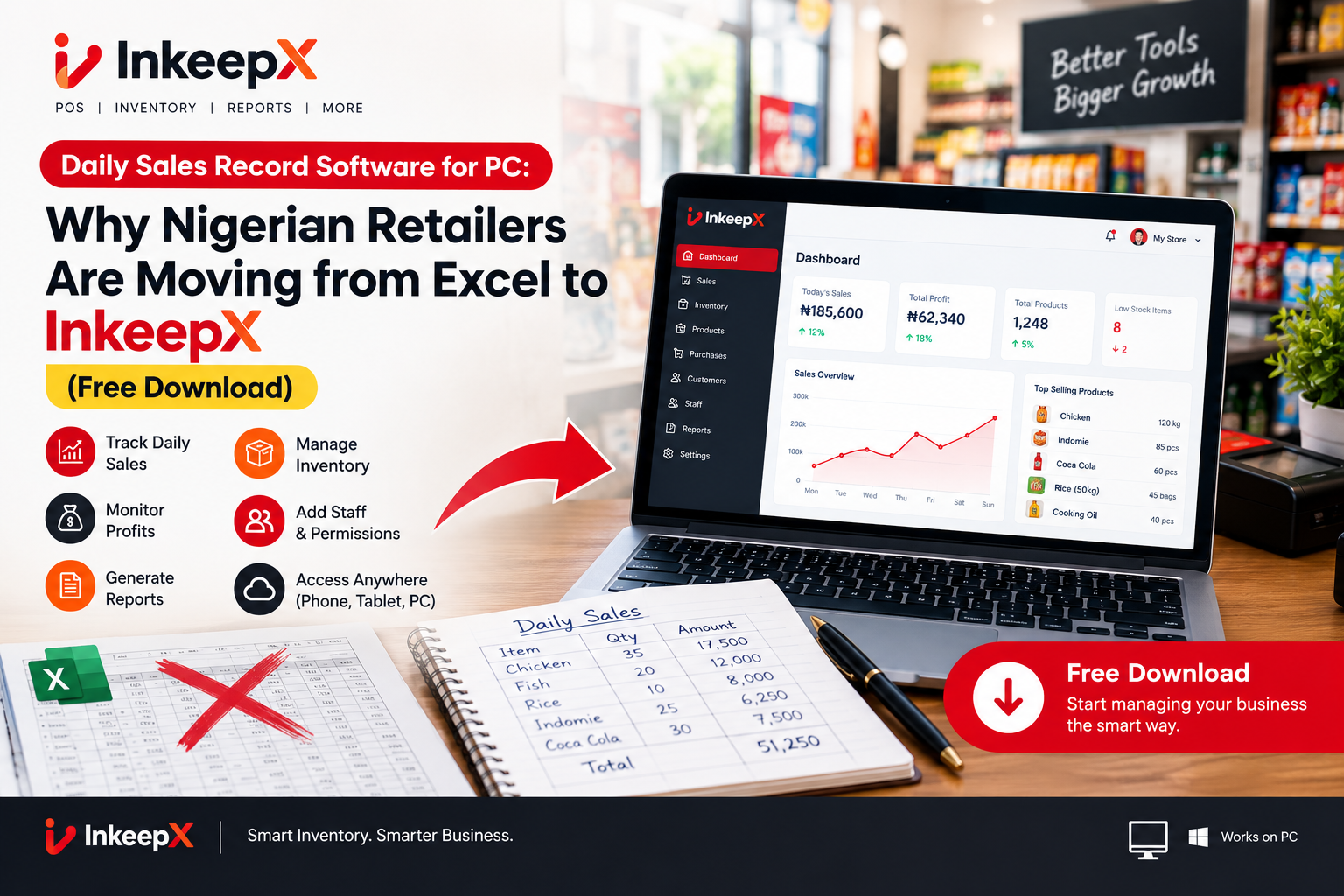
If you own a retail shop, supermarket, boutique, or pharmacy in Nigeria, keeping an accurate record of your daily sales is the single most important task for business survival.
When starting out, most store owners in Lagos, Abuja, Port Harcourt, and Kano rely on either physical paper notebooks or Microsoft Excel spreadsheets installed on a counter PC. At first, typing daily sales into Excel seems cheap and simple.
However, as your stock grows and customer queues build up during peak hours, tracking daily sales on Excel quickly becomes a bottleneck. Spreadsheets get accidentally deleted, cashiers alter numbers to hide missing money, and formula errors skew your profit calculations.
To build a scalable business in 2026, Nigerian merchants are replacing manual spreadsheets with dedicated daily sales record software for PC. Here is a detailed breakdown of why Excel falls short and why InkeepX is the top-rated desktop software choice for Nigerian store owners.
The Hidden Costs of Using Excel for Daily Sales Recording
While Excel is a powerful tool for general accounting, it was never designed to run checkout counters or track fast-moving retail stock.
+-----------------------------------+-----------------------------------+-----------------------------------+
| Operational Challenge | Excel / Manual Spreadsheets | InkeepX Desktop Software for PC |
+-----------------------------------+-----------------------------------+-----------------------------------+
| Checkout Speed | Slow (Manual typing of items/cost)| Instant (Barcode scanner support) |
| Fraud & Cashier Tampering | High Risk (Cells can be edited) | Anti-Theft (Strict role security) |
| Offline Availability | Offline (No cloud backup) | Offline-First + Cloud Sync |
| Multi-Unit Sales (Carton vs Unit) | Complex manual math formulas | Automatic multi-tier conversions |
| Daily Profit Calculations | Requires manual ledger entries | Automated InkeepX AI reports |
+-----------------------------------+-----------------------------------+-----------------------------------+
1. Zero Security Against Cashier Pilferage
In Excel, any staff member with access to the counter computer can edit a cell, delete a line item, or change a selling price before printing a report. If ₦10,000 goes missing from the cash drawer at the end of the shift, an employee can easily alter the spreadsheet to make the ledger balance artificially.
2. Slow Checkout Queues
Typing item names, quantities, and prices manually into a spreadsheet while a long line of customers waits at your register leads to long wait times. Excel cannot natively trigger hardware cash drawers, print instant thermal customer receipts, or process rapid laser barcode scans.
3. Inventory Stock Discrepancies
When you sell an item in Excel, your stock level does not update automatically unless you build complex macros. If a cashier sells 3 packs of biscuits, someone must manually subtract those 3 packs from a separate "Master Inventory" tab. This manual entry leads to errors and stockouts.
4. Formula Errors and Broken Records
A single misplaced decimal point or accidentally deleted formula can ruin your entire month of sales reporting. Worse still, if your computer crashes or suffers a virus, your unbacked spreadsheet file can be corrupted permanently.
Why InkeepX Is the Best Daily Sales Record Software for PC in Nigeria
InkeepX was engineered specifically to solve the local infrastructure and security challenges faced by Nigerian merchants. It transforms any Windows desktop or laptop PC into a high-speed sales terminal and inventory vault.
⚡ 1. Works 100% Offline (Built for Local ISP Blackouts)
Internet drops and power outages should never force you to close your checkout counter. InkeepX runs on a local desktop database engine (SQLite). Cashiers can scan barcodes, issue receipts, and record sales completely offline. Once your network connection returns, InkeepX automatically syncs your daily sales data to the central cloud.
🛡️ 2. Built-in Anti-Theft Security & Blind Audits
InkeepX eliminates internal theft by restricting what cashiers can see and do:
Cashiers cannot alter prices, delete completed transactions, or offer unauthorized discounts without a manager’s PIN approval.
Blind Shift Audits: At the end of a shift, cashiers must physically count and enter the cash drawer total before the system reveals expected totals, catching shortages immediately.
📦 3. Automatic Multi-Tier Stock Deductions
Selling items by the carton to wholesale buyers and by the single unit to retail customers? InkeepX manages this automatically. When a cashier sells 1 single unit at the register, InkeepX deducts that exact portion from your total carton stock count in real time.
🔖 4. Native Barcode Printing & Thermal Receipt Setup
InkeepX connects seamlessly to USB or Bluetooth barcode scanners, 80mm thermal receipt printers, and automatic cash drawers. You can also print custom barcode stickers for unbranded store items directly from your PC.
📊 5. Conversational AI Profit Insights
Instead of spending hours calculating daily profits, simply open the app or check your phone remote dashboard. InkeepX AI provides instant summaries of your top-selling products, gross profit margins, low stock alerts, and cashier performance metrics.
How to Set Up InkeepX Daily Sales Software on Your PC
Transitioning from Excel to InkeepX takes less than 10 minutes:
Frequently Asked Questions (FAQ)
Can I download daily sales record software for PC for free in Nigeria?
Yes. InkeepX offers a Free Forever Plan (₦0) that lets single-counter retailers record daily sales, manage basic inventory, and generate receipts without any upfront subscription fees.
Is InkeepX better than Microsoft Excel for tracking daily store sales?
Yes. Unlike Excel, InkeepX prevents cashiers from altering sales history, integrates directly with barcode scanners and receipt printers, automatically updates stock balances after every sale, and works offline during internet drops.
Does InkeepX run on any laptop or desktop PC?
InkeepX is lightweight and optimized to run smoothly on any standard Windows laptop or desktop PC running Windows 8, 10, or 11.
Download InkeepX Daily Sales Software Today
Stop relying on vulnerable spreadsheets that expose your business to cash shortages and inventory leakage. Upgrade your counter PC with a secure, offline-first point of sale system built for growth.
🌐 Main Website: inkeepx.com
💻 Free PC Software Download: InkeepX Offline App (ZIP)
📚 More Business Guides: InkeepX Blog
📧 Customer Support: inkeepxapp@gmail.com
📞 WhatsApp / Direct Line: +234 807 208 8926
# daily sales record app Nigeria
# retail inventory software PC
# best sales recording software for supermarket
#